Case- Study
Job Posting Creation – Link or Manual Entry Selection
PowerPool AI offers flexibility when uploading your job post details to the system. You can paste the link of your existing job posting into the designated field for automatic processing, or enter the details manually. Regardless of the method you choose, your created job post will be stored under the "My Job Postings" tab, allowing you to easily track all postings from various sources in a single view.
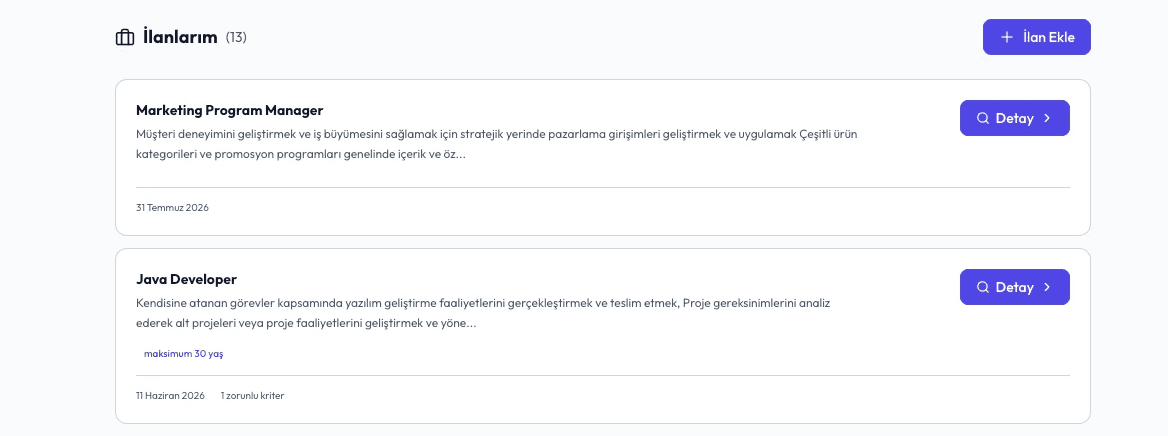
Job Posting Details
When conducting a job post search, no extra steps are required: the mandatory and preferred criteria defined during creation automatically apply. Even without applying additional filters on the left panel, PowerPool AI scans ES Kariyer's database of 10,000+ candidates for matching profiles and presents them ranked by calculated match percentages. Every candidate in this talent pool has been personally interviewed and thoroughly evaluated by our consultants before being onboarded, without direct access to the platform themselves.

Filtering
To refine your search further, select the relevant filters on the left panel. PowerPool AI instantly initiates a new background search based on your updated criteria and re-ranks the most suitable candidates according to their match scores.

Search Mode Selection – Job Search / Talent Pool Search
If you prefer a broader search across the entire candidate base rather than a specific job post search, select "Talent Pool Search" from the top-left menu.

Talent Pool Search
In Talent Pool Search mode, simply enter your desired criteria on the left panel. PowerPool AI will generate a newly ranked list of matching candidates tailored to your requirements.

Candidate Profile
Opening any candidate profile from the ranked list gives you full access to the insights gathered during our consultants' interviews. This includes detailed background and resume information, along with specifics regarding disability status and rates.

Candidate Card
Profiles that pass your initial screening can be added to your "Shortlist" with a single click. Viewing a candidate's direct contact details will deduct the corresponding credit from your balance.

Shortlist Screen
You can access all shortlisted candidates anytime via the Shortlist section located next to your job postings.

AI HR Assistant
If you have questions about candidates or the generated list, the AI HR Assistant on the right side provides instant support and guidance at every stage of the process.

